Summary
WUR students and staff have off-campus access to all the scientific literature and databases of WUR Library. Find out the various methods to get easy access and use the Library's digital collection wherever you are.
null
Are you not on-campus and do you want to access literature? There are two methods for off-campus access to Library resources.
- The Lean Library browser extension. The Lean Library extension will notify you if you’re on the website of a journal that the Library subscribes to, even if you're not connected to the WUR network. Lean Library is an extension that you add to your browser.
- The Library website. Log in to MyLibrary and continue your search in WUR Library Search or in specific databases.
1. Lean Library browser extension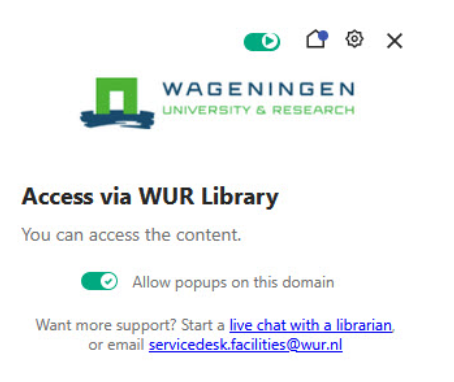
- Go to Lean Library and install the extension for the browser(s) you use
- Select Wageningen University & Research - Library
How does it work?
- The browser extension will show a pop-up message when you are on a publisher’s website with licensed material.
- Then, click the access button and log in with your WUR account.
- The extension will also search for alternative, legal ways to get the full text, including Open Access, if the Library doesn't have a subscription.
- Library Access works in Chrome, Safari, Firefox, Microsoft Edge, and Opera. It cannot be installed on mobiles or tablets.
2. Library website
Go to MyLibrary and log in with your WUR account. From the Library website, you can now search for literature in WUR Library Search or in specific databases and collections. As long as you're logged in, you'll have full text access to articles and e-books. You don't need special software or specific settings.
Contact/Questions?
Do you have questions about off-campus access to the online Library resources, or would you like personal support? Feel free to contact us. Please email the servicedesk.facilities@wur.nl or Chat with a Librarian.
Curious to find out what else WUR Library can offer you?
Visit the Library's website to access the Library’s databases and get a full overview of the Library’s services, tools, and support. You can contact a librarian anytime through the chat box on our website or click Chat online. We’re happy to help you!